Resource Packs
Free add-ons, resource packs and tools for Minecraft Bedrock Edition.
Resource packs allow the player to change the look and feel of the game by changing textures, models, animations and much more. There are lots of different types of resource packs, from simple player skins, to block changes, to adding customised features and utilities into the game.
Choose which mobs can’t break blocks, take items or change the world - without turning off everything.
Open the maker16 downloads
Make your own Minecraft skin pack in minutes: add skins, preview in 3D, download a .mcpack. Free, nothing uploaded.
Make a skin pack
Markers Pack
Turn any armor stand into a biome sign, chunk border, compass, coordinate display and more.
Foxy's Brightness Pack
All of the textures in the game are brighter and a little more vibrant.
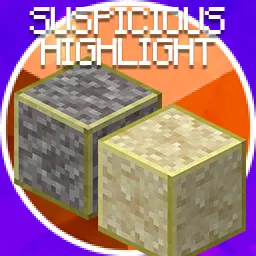
Suspicious Highlight
Highlights Suspicious Sand and Gravel Blocks

Foxy's Reduced Particles
Choose to remove Nether particles and reduce rain particles

Foxy's Resource Pack
Combined resource pack including some of the packs below that Foxy uses in his videos.
Foxy's Nether Fog Remover
Removes Fog from Nether Dimensions
No Vignette
Removes vignette effect when the player is a low Y levels in the overworld.
Server List UI
Removes Featured Servers from Server Tab and restyles list for better viewing experience.
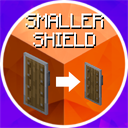
Smaller Shield
Shield is physically smaller in game and takes up less screen space when held.
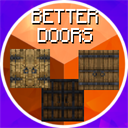
Better Doors
New door textures that featured in Infinity Dungeon
Better Rain
Falling rain particles are much smaller and less noticeable.
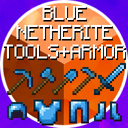
Netherite Tools, Weapons & Armor
Netherite Tools, Sword and Armor are now like diamond but slightly darker.
No Potion Particles
Removes potion / beacon particles. (Annoying Fart Bubbles)
Transparent Pumpkin Blur
Pumpkin Blur effect is almost fully transparent.
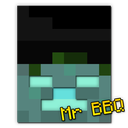
Wandering Trader: Mr BBQ
Changes the wandering trader to Mr BBQ from Foxy's videos.
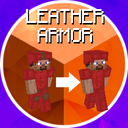
Better Leather Armor
Removes brown stripes and patches from dyed leather armor.
Helpful Videos



Help
How to install add-ons & packs
Dealing with Zip files...
Most of the downloads on this site will be in the form of a .zip file.
The zip file is a compressed folder normally containing a readme file, a licence agreement and the add-on or pack you've downloaded.
First you'll need to open or unzip the zip file somewhere onto your PC or device.
On Windows, you can use Microsoft's built in zip tool, or you can download a zip tool from the internet.
I recommend 7-zip as it's free, fast and lightweight.
On mobile you might want to look at downloading a file manager if you don't have one available.
On console you can download the pack to either a phone or your PC and follow the steps below...
Installing on Windows and Mobile
Once you have extracted the zip file, the simplest way to install the add-on or resource pack is to open the .mcaddon, .mcpack, .mcworld, .mctemplate file and let Minecraft install it automatically.
For older packs without a zip file, just open the file you downloaded and Minecraft should load up and install it for you.
If Minecraft doesn't launch when you try to run that file, you should probably ask Google for help!
Installing on Console...
You can no longer install packs and add-ons directly on to consoles, instead you'll need access to a Minecraft Realm and a version of Minecraft on Windows or Mobile.
Follow the procedure above to install the add-on or pack to your Windows or Mobile version of Minecraft and then add the pack to a new world or a world you want to use on your console.
If you want to use multiple packs, install them all and then add them all to the same world.
Upload that world to your realm and then download that world from your realm on your console.
Add-on Conflicts
Some add-ons just won't work with other add-ons!
This is normally because the conflicting add-ons require at least one of the same file. Only one of the add-ons can run in this situation which will make the conflicting add-ons seem broken.
To resolve this you can try to combine the packs, which is quite difficult for beginners, or download a combination pack that contains both conflicting packs, if one is available from the downloads section.
What are Experimental Features?
Experimental features are additional game features for Minecraft Bedrock Edition, that are still under development by Mojang.
They can include new blocks, items and entities but they are mainly for developing third party content such as add-ons, resource packs and maps for the Minecraft Marketplace.
They exist for the developers to be able to receive feedback from the public in order to test them and get them ready for production.
Not all experiments will make it into the stable release of the game as they may be determined to be unreliable or unsuitable.
Newer experiments are likely to change during development which can have adverse affects on add-ons and worlds which use them.
There are various experiments that are available to be toggled within your Minecraft world settings.
Each experiment contains different features that might be required for certain add-ons and maps.
You can enable experimental features on Minecraft worlds, realms and servers and use them in single player and multiplayer.
Are they dangerous?
Not all experiments are dangerous. Some have been around for a long time and are considered relatively stable.
Newer experiments are more likely to cause unpredictable results in your game which could lead to crashes or world corruption, but this is unlikely.
Always proceed with caution though! Make backups before enabling experiments on any of your worlds.
Why are some add-ons and packs Experimental?
There are a lot of add-on features within the experimental features that are not available within the stable version of the game.
Due to the popular demand of these features, I decided to add some of them into my packs to make my packs more effective and more enjoyable.
How to enable Experimental Features?
For single player worlds, you can toggle them within the world settings screen.
For realms and servers you can check it out on YouTube:
How to enable EXPERIMENTAL MODE on REALMS & SERVERS
Still stuck? Ask on Discord.