Free Minecraft Skin Pack & Skin Templates (Bedrock)

Grab a free Minecraft skin pack for Bedrock Edition: ready-made skins you can equip in minutes, along with blank skin template PNGs (Classic and Slim) so you can paint your own from scratch.
Everything here is free, no account needed, and works on Windows, Android, iPhone / iPad, Chromebook and Fire tablets.
The free FoxyNoTail skin pack
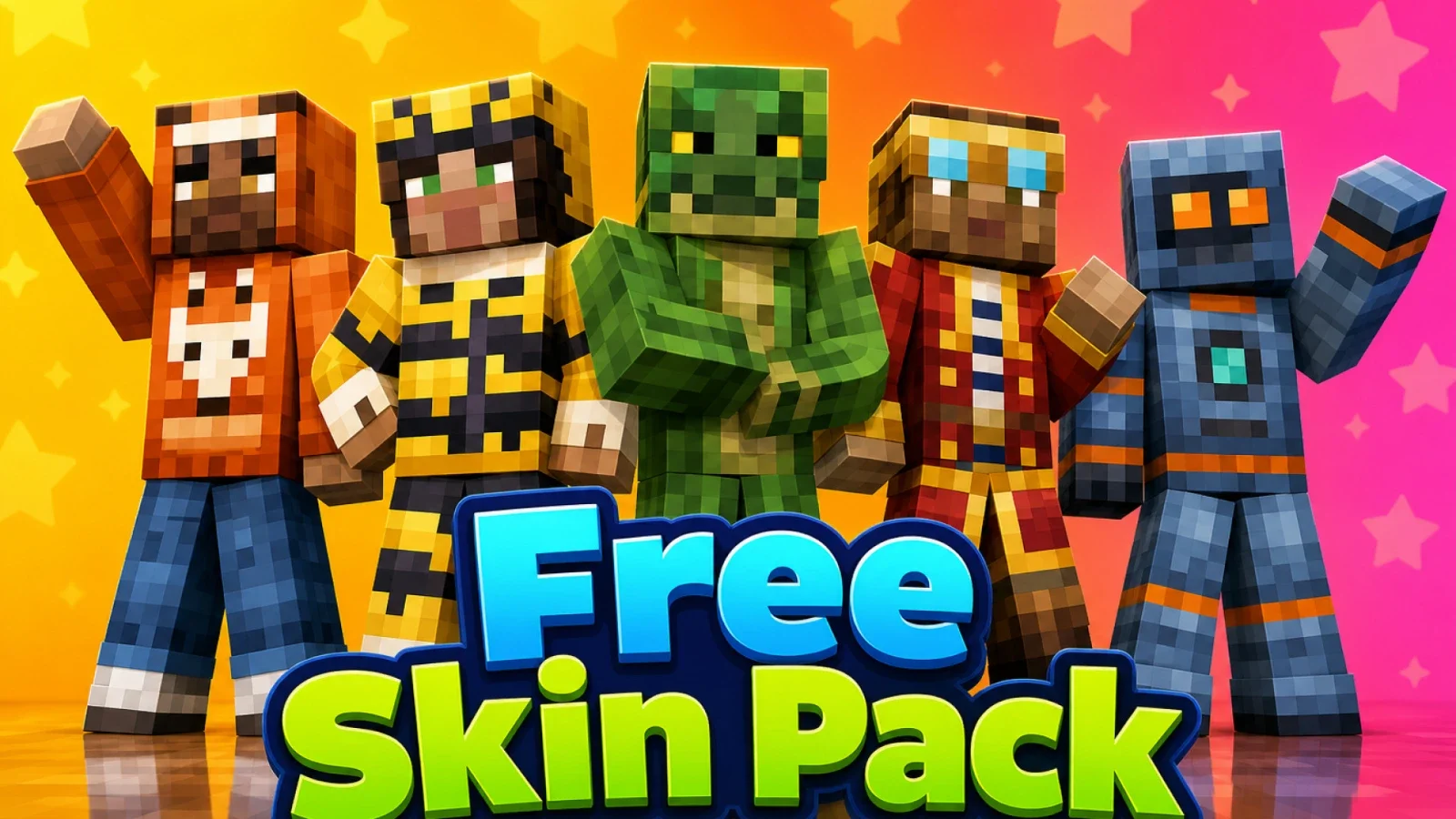
Works on Windows, Android, iPhone / iPad, Chromebook and Fire tablets. Custom skin import is not available on consoles (Xbox, PlayStation, Switch). Use the in-game Marketplace there instead. See install guides by platform.
Want to see the skins in 3D? Open the pack in the Skin Pack Creator right in your browser.
How to install it
- Download the
.mcpackfile (button above). - Open the file: on Windows double-click it, on Android or iPhone tap it and choose Minecraft. The game launches and imports the pack automatically.
- Open the Dressing Room, go to Classic Skins, pick a skin and click Equip.
Step-by-step screenshots for each platform:
If your skin does not appear, go to Settings → General and make sure Only Allow Trusted Skins is toggled off.
Free skin templates (Classic & Slim)
Every Bedrock skin is a flat PNG laid out on a fixed grid. These labelled templates show exactly where each body part goes, so you can open one in any image editor and start painting.
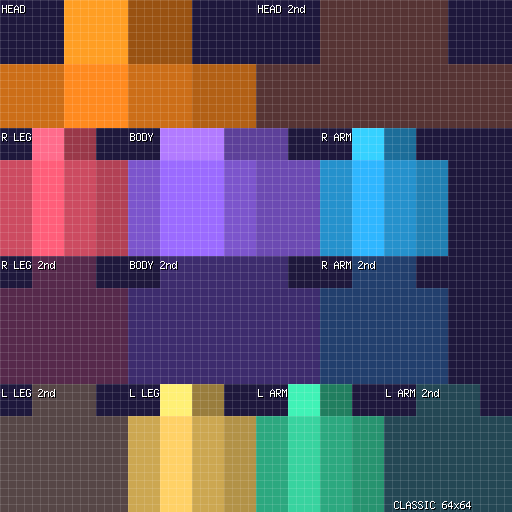
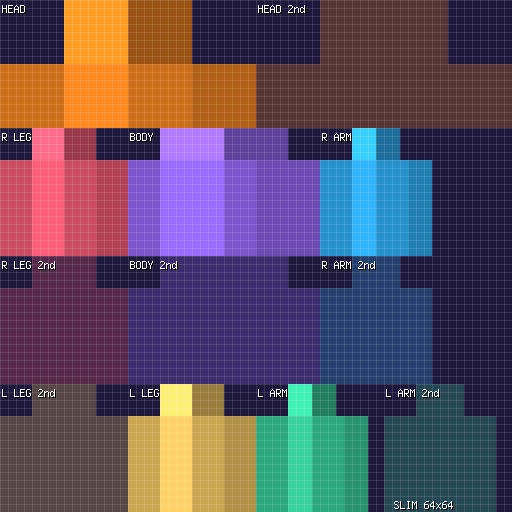
Reading the colours: each body part (head, body, arms, legs) has its own solid colour so you can tell the regions apart. The faded areas next to each part are the second (outer) layer: that is where you draw hats, jackets, sleeves and trousers. The outer layer sits slightly larger than the inner one, which is what lets the overlay show through.
Make your own pack from the templates
Turn a blank template into a working skin pack in four steps:
- Pick a template (Classic or Slim) and open it in any image editor (Paint, GIMP, Krita, or the browser-based Skin Pack Creator).
- Paint your skin on the 64×64 grid. Keep the PNG at 64×64 (or 128×128 for higher detail) and save it as a flat PNG.
- Build the pack files. A skin pack needs
manifest.json,skins.json, your PNG, and atexts/en_US.langfile. The How to make a skin pack guide walks through each file with copy-paste examples. - Zip and rename. Put all files in one folder, zip the contents (so
manifest.jsonis at the zip root, not inside a wrapper folder), and rename the archive to.mcpack. Double-click to import.
Prefer to skip the JSON entirely? The Skin Pack Creator generates manifest.json, skins.json and the lang file for you. You just upload your PNG and click Download.
Using these files
The free skin pack and the skin templates are free for personal use. Use them in your own worlds, on your own account, however you like.
Please do not re-upload them to other sites, sell them, or claim them as your own work. If you want to share them, link to this page instead.
The blank templates are free to use as the base for your own original skins. The pixels you paint are entirely yours.
Want more skins?
Browse the full range of FoxyNoTail skin packs, all made by 2-Tail Productions and available as official Marketplace content. They follow your Microsoft account across every device you sign in to, so you buy once and they are there on Windows, mobile and console.
Looking for a specific style? Use the search box at the top of the page, or head to the Skin Packs page to see everything available.
Related guides
- How to make a skin pack
- Classic vs Slim skins
- Skin sizes explained
- How to install on Windows
- How to install on Android
- How to install on iPhone / iPad
Sources
- Microsoft Learn: Packaging a Skin Pack
- Microsoft Learn: Change Your Look: An Introduction To Skin Packs
- Microsoft sample skin pack
- Minecraft Wiki: Skin
- Minecraft Wiki: Skin pack
 Get notified about new packs
Join the Discord for update announcements, help and sneak peeks.
Join Discord